

AI Worksheet Generator for Teachers: 2026 Step-by-Step Guide
A
Ashutosh Gupta
Share:
Advertisement
Think about last Sunday evening. You were creating a worksheet for Monday's class, and it took two hours. You searched for existing materials, adapted them to your grade level, wrote the answer key, and formatted the whole thing. Teachers who use an AI worksheet generator for teachers at least weekly report saving 5.9 hours per week — that's six extra weeks per school year back in your life (Gallup/Walton Family Foundation, June 2025, n=2,232 K-12 teachers).
This guide gives you the exact method: the right inputs, a six-step process, differentiation techniques, and the five mistakes that waste your time. No jargon. No theory. Just a practical workflow you can use before your next class. For a broader overview of AI tools students use alongside your materials, see our guide to the best AI tools for students.
Advertisement
Key Takeaways
- Teachers who use AI weekly save 5.9 hours/week, equal to 6 extra weeks per school year (Gallup/Walton Family Foundation, June 2025).
- 64% of teachers say AI improves the quality of materials adapted for individual student needs.
- The six-step prompt-to-classroom workflow takes under 15 minutes per worksheet.
- Always review AI-generated answer keys before distributing. AI makes arithmetic errors.
Why Are Teachers Turning to AI for Worksheet Creation?
60% of U.S. teachers used AI tools in the 2024-25 school year, and 33% used AI at least monthly specifically for making worksheets or activities (Gallup/Walton Family Foundation, June 2025). The reason is straightforward. Excessive unpaid prep time ranks as the number-two reason teachers leave the profession (EdSource, citing Educators for Excellence, April 2025). AI worksheet tools directly attack that problem.
The time drain isn't just frustrating. It's a retention crisis. Teachers spend hours each week searching for materials that almost fit their needs, then rewriting them to match their grade, curriculum, and class composition. An AI worksheet generator collapses that search-and-adapt cycle into a single step.
And it's not just speed. 64% of teachers report that AI improves the quality of materials adapted for individual student needs (Gallup/Walton Family Foundation, June 2025). That's a meaningful quality argument, not just a time argument. You're not trading quality for convenience.
The numbers across the broader education sector confirm the shift. 86% of education organizations now use generative AI, the highest adoption rate of any industry (Microsoft 2025 AI in Education Report, August 2025). This isn't a fringe experiment anymore.
Citation Capsule: 60% of U.S. K-12 teachers used AI in the 2024-25 school year, with 33% using it at least monthly for worksheets and activities. Teachers who use AI weekly save 5.9 hours per week, the equivalent of six additional school weeks per year. Excessive prep time ranks as the second-highest reason teachers leave the profession. (Gallup/Walton Family Foundation, June 2025; EdSource, April 2025.)
See our roundup of the best AI tools for students for the student perspective on these same tools.
What Do You Need Before You Start? (The Right Inputs)
Better worksheets come from better prompts. Garbage in means garbage out, but the good news is that most AI worksheet generators need only five pieces of information to produce classroom-ready output. Getting these right upfront saves you from editing a mediocre first draft.
Here are the five inputs that matter:
Topic. Be specific. "Photosynthesis: light-dependent reactions" outperforms "biology." Narrow your topic to exactly what you covered in the last one or two lessons.
Grade level. This is the most overlooked input of all. Skip it, and the AI defaults to a vague middle-ground reading level that fits no one. Specifying "Grade 5" versus "Grade 8" changes vocabulary, sentence complexity, and assumed background knowledge dramatically.
Question types. Name them explicitly: multiple choice, fill-in-the-blank, short answer, true/false, matching. Mixing types tests both recognition and recall, which matters for any assessment.
Number of questions. 10-15 questions is the practical classroom sweet spot. Fewer than 8 doesn't cover a topic adequately. More than 20 extends beyond most class periods.
Special instructions. This is where differentiation starts. Add notes like "include one real-world application question," "keep vocabulary at a Grade 4 reading level," or "focus on causes rather than dates."
Grade level is the single most impactful field, yet most teachers leave it blank on their first attempt. An AI given no grade level will write at roughly a Grade 8-10 reading level by default. That's fine for high school, but alienating for a Grade 3 classroom. The fix is five extra words in your prompt. Every teacher we've seen adopt AI worksheets reports that adding an explicit grade level was the change that made outputs usable without heavy editing.
Students working from these worksheets independently can find their own starting tools in our guide to the best AI tools for students.
How Do You Create an AI Worksheet in 6 Steps?
This is the core workflow. Follow it once and you'll have a repeatable system. 31% of educators now use AI to brainstorm, create, and update lessons (Microsoft 2025 AI in Education Report, August 2025). The teachers saving the most time aren't using AI occasionally. They have a consistent process.

Step 1: Choose your AI tool.
For most K-12 teachers, the top four tools are MagicSchool AI (strongest for STEM), Kuse AI (widest subject range), Monsha AI (most control over difficulty and format), and Worksheets.ai (fastest output). Each has a free tier. Pick one and stay with it long enough to learn its prompt patterns.
Step 2: Define your worksheet parameters.
Before you type anything, decide: topic, grade level, question types, question count, and any special instructions. Write these down in a sentence. This becomes the foundation of your prompt.
Step 3: Write a specific prompt.
Vague prompts produce vague worksheets. Here are two prompt templates that consistently produce strong output:
Template A - Standard worksheet:
"Create a 12-question worksheet for Grade 6 students on [TOPIC]. Include 6 multiple choice, 4 fill-in-the-blank, and 2 short answer questions. Include an answer key. Keep vocabulary appropriate for Grade 6 reading level."
Template B - Differentiated worksheet:
"Create a 10-question worksheet for Grade 4 students on [TOPIC]. Questions should be at an easy-to-medium difficulty level. Include visual description cues in the questions. Provide a full answer key with brief explanations for each answer."
Step 4: Review and fact-check the output.
Never skip this step. AI tools can hallucinate specific facts: wrong dates, incorrect figures, flawed science. Read the worksheet as a student would. Check every answer in the key. For math, solve each problem independently before trusting the AI's answer.
Step 5: Customize formatting and add context.
Add your school header, class name, and student name field. Insert any diagrams or tables the AI can't generate. Adjust question order if the difficulty curve feels off. This step usually takes 3-5 minutes.
Step 6: Distribute and collect, digital or print.
Export as a PDF for print, or paste into Google Forms for digital submission and automatic answer-key scoring. If you used Google Classroom, you can assign the PDF directly. Save the original prompt in a document. You'll reuse it.
We've found that teachers who save their best prompts in a simple Google Doc or Notion page dramatically reduce their per-worksheet time over a semester. The first worksheet on a new topic takes 15 minutes. The second one takes 5, using a refined version of the same prompt. The prompt library becomes your most valuable prep asset by mid-year.
Students can take the same topic into the Geleza quiz generator for timed self-testing after you cover it in class.
How Do You Differentiate AI Worksheets for Different Learners?
64% of teachers say AI improves the quality of materials adapted for individual student needs (Gallup/Walton Family Foundation, June 2025). This is the differentiation benefit that saves the most time. Creating three reading-level versions of a worksheet by hand used to take an hour. With a well-structured prompt, it takes ten minutes.
The practical method is three-version generation. Start with your standard prompt. Then run it twice more with one change each time: once with "simplify all questions to a Grade [X-2] reading level," and once with "increase challenge level: add one multi-step reasoning question and one application question." You get three worksheets from three prompts in under five minutes.
For IEP adaptations, add specific language instructions to your prompt. Examples that work: "Use short sentences of 10 words or fewer," "Replace abstract vocabulary with concrete examples," "Add a sentence frame for each short-answer question." These instructions are fast to type and they produce genuinely different output.
For ELL students, try: "Use common vocabulary only. Avoid idioms and subject-specific jargon except for key terms. Define each key term in parentheses when it first appears." That single instruction line can make an ELL student's worksheet usable without a separate translation step.
Gifted differentiation works in the opposite direction. Prompt with: "Add one extension question requiring synthesis across two or more concepts. Include a question asking students to design their own example or counterexample." Bloom's taxonomy thinking is built into good AI tools. You just need to ask for the higher tiers.

Citation Capsule: 64% of K-12 teachers report that AI improves the quality of materials adapted for individual student needs, and 23% of educators now use AI specifically to differentiate instruction. Creating tiered worksheet versions, previously an hour of manual work, takes under 10 minutes with a well-structured AI prompt. (Gallup/Walton Family Foundation, June 2025; Microsoft 2025 AI in Education Report, August 2025.)
Advertisement
Share our guide to study techniques backed by science with students who want to understand why retrieval practice works.
5 Mistakes to Avoid When Using an AI Worksheet Generator for Teachers
The most common failure mode is distributing a worksheet without reviewing it first. AI tools occasionally hallucinate facts, invent statistics, or produce math answer keys with errors. 83% of K-12 teachers used generative AI in the 2023-24 academic year (DemandSage, March 2026). The teachers running into problems are almost always the ones skipping the review step.
Here are the five mistakes that eat your time and erode student trust:
Mistake 1: Not specifying grade level or reading level.
The AI doesn't know your students. Without an explicit grade level, it defaults to a mid-range reading level that works for no one specifically. Fix: always include "for Grade [X] students" in your prompt.
Mistake 2: Distributing without reviewing the answer key.
This is the most consequential mistake. A wrong answer on a worksheet confuses students and creates extra work when you have to issue corrections. Fix: read every answer before you print. For math, solve each problem yourself.
Mistake 3: Using AI for every single worksheet.
Some concepts need teacher-crafted nuance. Local examples, school-specific context, and culturally relevant scenarios don't come from a generic AI prompt. Fix: use AI for the structural heavy lifting (question formats, variety, answer keys) and add your own local context in the editing step.
Mistake 4: Forgetting to vary question types.
A worksheet of twelve multiple-choice questions tests recognition only. Students can pass it without being able to explain anything. Fix: build a default prompt template that always requests at least two question types.
Mistake 5: Not saving your best prompts.
This one costs cumulative hours. You craft a great prompt, get a great worksheet, then spend ten minutes recreating a similar prompt next month. Fix: keep a running Google Doc or Notion page with your top-performing prompts, organized by subject and grade level. It becomes a personal template library.

The prompt-saving habit is the single highest-leverage behavior we've seen among teachers who stick with AI worksheet tools long-term. Teachers who don't save prompts plateau at 15-20 minutes per worksheet. Teachers who build and refine a prompt library typically drop to 5-8 minutes within a semester, roughly the time it takes to copy a template, swap in the new topic, and review the output.
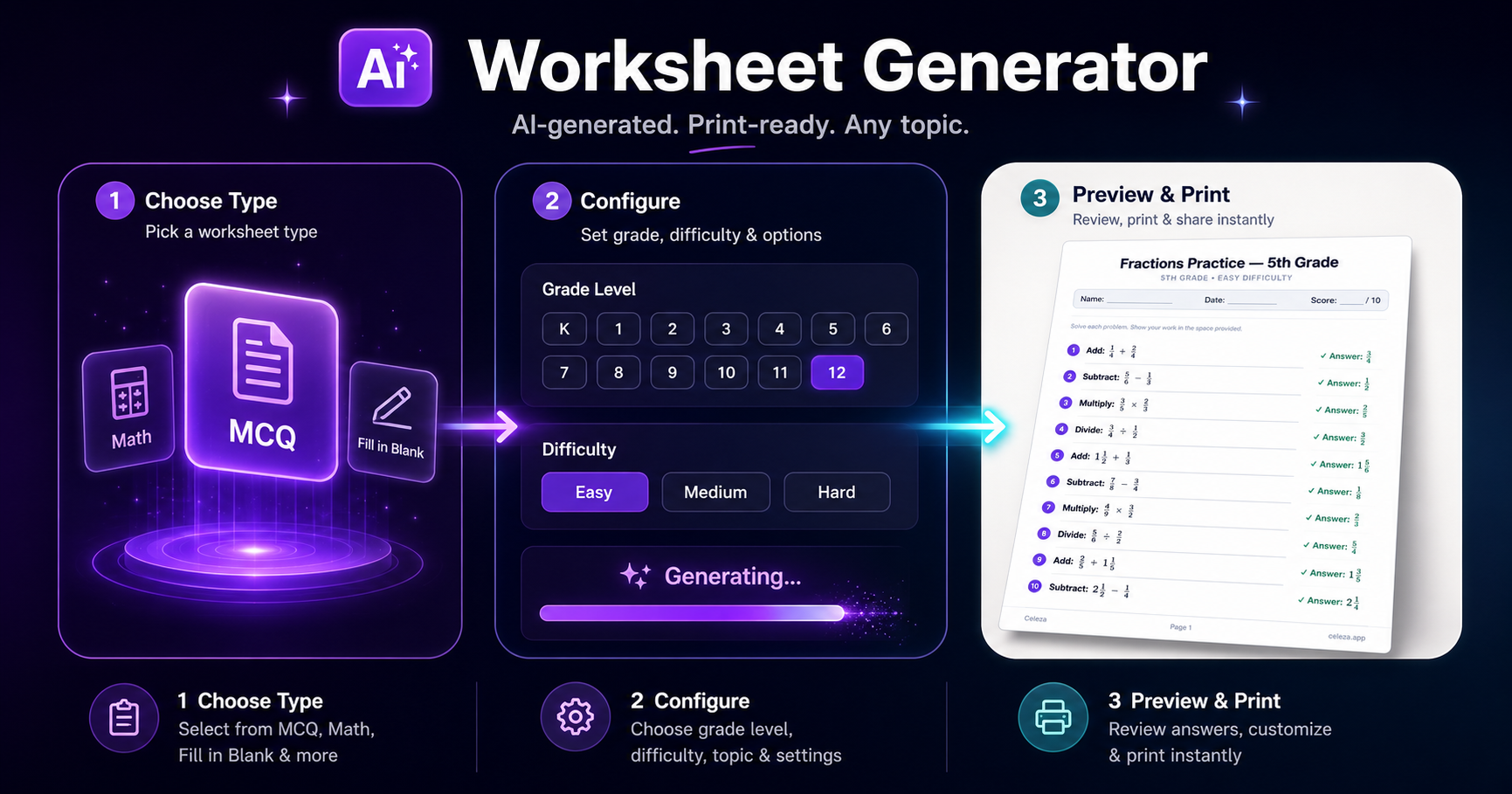
Students who want to generate their own practice materials can start directly at Geleza's worksheet generator.
How Can Students Practice with Your AI Worksheet Generator for Teachers?
You've spent time creating strong worksheets. What happens between your classroom sessions? Most students reread their notes, a passive study habit that research consistently shows produces weaker retention than active retrieval practice.
Geleza is a student-facing study tool built around the same practice-first principle. Students can generate their own practice worksheets from any topic or chapter you assign, quiz themselves without looking at their notes, and get instant AI explanations for anything they got wrong. It works as a self-directed complement to the materials you create.
You create the lesson. Geleza gives students a way to practice it on their own terms, at their own pace, before the next class.
Frequently Asked Questions
What is the best free AI worksheet generator for teachers?
MagicSchool AI and Kuse AI both offer free tiers with usable monthly limits. For teachers who want PDF or photo-to-worksheet conversion, Worksheets.ai and Monsha AI provide solid free starting plans. The best choice depends on your subject. MagicSchool AI is strongest for STEM, while Kuse AI handles a wider subject range across humanities and sciences. For student-facing practice materials, see our guide to the best AI tools for students.
How long does it take to create a worksheet with AI?
Most AI worksheet generators produce a complete worksheet in 30-90 seconds once you enter your prompt. Reviewing and editing typically takes 5-10 minutes. Teachers using AI weekly report saving 5.9 hours per week overall, equivalent to 6 extra weeks per school year (Gallup/Walton Family Foundation, June 2025). The more you refine your prompt templates, the faster each subsequent worksheet becomes.
Can AI worksheet generators differentiate materials for different learners?
Yes. Most tools support a difficulty parameter and you can generate multiple versions of the same worksheet at different reading or complexity levels. Tools like Monsha AI explicitly support differentiation across Bloom's taxonomy tiers. For IEP or ELL adaptations, prompt the AI to "simplify language to Grade 3 level" or "add a sentence frame for each short-answer question." 23% of educators now use AI specifically for differentiation (Microsoft 2025 AI in Education Report, August 2025).
Are AI-generated worksheets accurate enough to give to students?
Usually yes for factual subjects, but always review before distributing. AI can hallucinate specific dates, figures, or scientific details. A 5-minute human check catches most errors. For math, verify all answer keys manually. AI occasionally makes arithmetic mistakes in multi-step problems. The AI worksheet market is growing fast, reaching USD 1.25 billion in 2025 and projected to hit USD 4.91 billion by 2033 (SNS Insider via GlobeNewswire, October 2025). Tools are improving rapidly, but human review remains the standard.
Can students use the worksheets I create with AI for independent study?
Yes. AI worksheets work well for homework, independent practice, and exam prep. Students can also use student-facing tools like Geleza to generate their own practice worksheets from any topic or chapter, useful for self-directed study between your classroom sessions. Geleza combines worksheet generation with a quiz generator and AI Chat in one study loop, so students generate questions, test themselves, and get explanations without switching tools.
Conclusion
Here's what the research says in plain terms: AI saves teachers time, improves differentiated materials, and is now standard practice across the profession. The AI worksheet market is valued at USD 1.25 billion in 2025 and growing fast (SNS Insider via GlobeNewswire, October 2025). The tools aren't going away. The teachers using them well are reclaiming hours every week.
Key takeaways from this guide:
- Specify grade level in every prompt. It's the highest-impact single change.
- Always review answer keys before distributing. Five minutes now prevents ten minutes of corrections later.
- Save your best prompts. A prompt library compounds in value all year.
- Use three-version differentiation for tiered classes: one prompt, three difficulty levels.
- AI handles the structure. You provide the local context and review.
Start with one worksheet this week. Pick a topic you're teaching on Monday, run it through any free AI tool using the template prompts in this guide, and time yourself. Most teachers are surprised by how fast a usable first draft appears.
When your students take those worksheets home, give them a way to keep practicing. The Geleza worksheet generator lets them generate their own practice questions from the same topics, closing the loop between what you teach and what they retain.
Advertisement
Found this helpful?
Share it with your classmates.
Share:


