

Is AI Safe for Kids? A 2026 Parent's Guide
G
Geleza Team
AI Education Researchers
Share:

Advertisement
AI is not safe for kids by default, but it can be used safely with the right age limits, parental controls and house rules. The tools your child meets, from ChatGPT to Gemini, were built mostly for adults. They can give confident wrong answers, collect personal data and, in companion-style apps, encourage a child to treat a chatbot as a friend.
Parents are not asking for a total ban, though. A US survey by the National Parents Union of 1,528 parents of K-12 public school students, fielded in September 2026, found that 77% want schools to teach students how to use AI tools effectively, while 71% support banning AI chatbots during the school day (EdSurge, November 2026). Children can learn with AI, as long as adults set the rules.
Advertisement
Key Takeaways
- Most mainstream AI chatbots set a minimum age of 13, and Claude requires users to be 18. Children under 13 should only use AI through a parent-approved, supervised account.
- The biggest risks are emotional attachment to AI "friends", confident wrong answers, data collection, unsuitable content and AI doing homework instead of the child.
- ChatGPT and Gemini both offer parental controls, but they only work once you link and set up your child's account yourself.
- Teach two habits early: AI is a tool, not a friend, and every AI answer gets checked before it is trusted.
Advertisement
What Changed for Kids and AI in 2026?
School AI use, and scrutiny of it, grew sharply in 2026. Three developments matter most for parents.
Google changed how Gemini works in schools. Gemini is now off by default in Google Classroom, and when a school turns it on it runs in "Guided Learning" mode, which walks students through problems instead of handing over answers (Chalkbeat, November 2026). Schools that want AI fully switched off face a hard trade-off: a Google executive told Chalkbeat that such schools "have the choice to not have search on at all," because AI features are built into Search.
Child-safety lawsuits are rising. In November 2026, parents in North Carolina sued Google, alleging that their 13-year-old daughter suffered a mental health crisis after using Google's Gemini chatbot and Search AI Mode on her school-issued Chromebook (Claims Journal (Bloomberg)). These are allegations, not court findings. A Google spokesperson told CNBC: "We are reviewing the claims in the lawsuit and we take this very seriously" (CNBC).
Better guidance for parents arrived. The Harvard Graduate School of Education launched Compass, a resource that helps parents and educators judge where AI can help or hinder child development (Boston Globe, November 2026). Its "AI Guidance by Age" tool is candid about the evidence: each entry is described as "a hypothesis, not a firm finding" (Harvard GSE Compass). Research on children and AI is still young, so family rules matter more than waiting for final answers.
What Are the Real Risks of AI for Children?
The risks are specific, and each one has a practical fix. Knowing them helps you set rules that target real problems instead of banning everything.
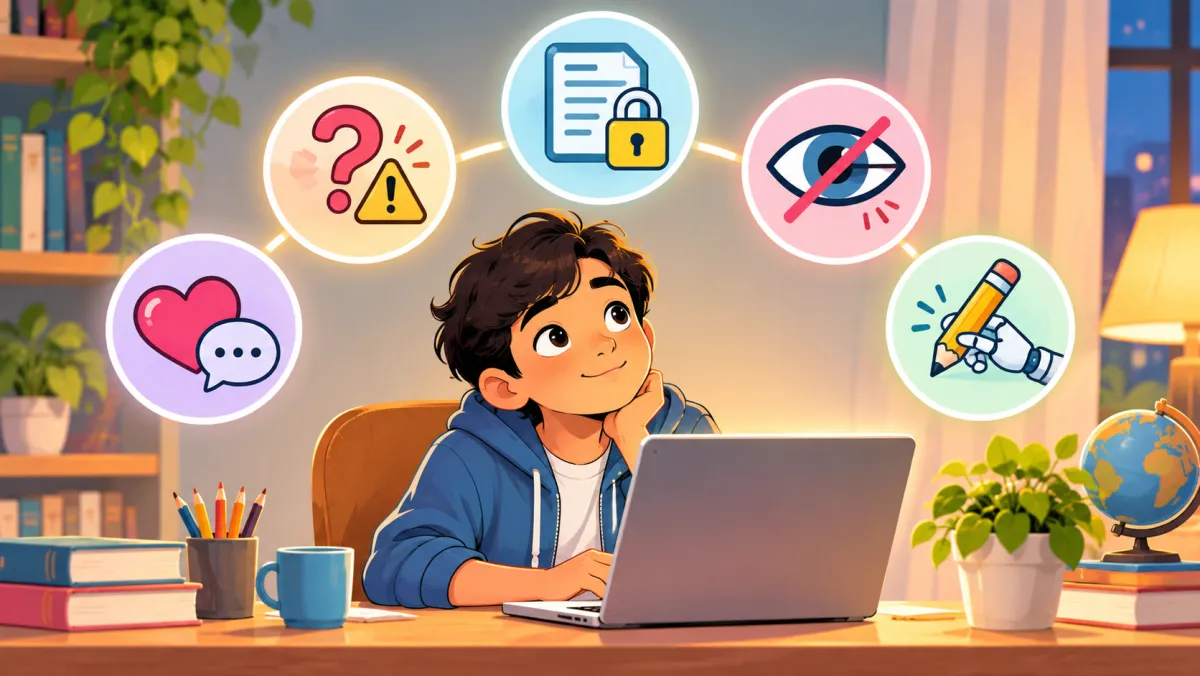
1. Emotional attachment to AI companions
Companion chatbots are designed to feel like friends, and teens are already using them. Common Sense Media found that 72% of US teens aged 13 to 17 have used an AI companion at least once, and about a third of teen users had discussed serious matters with AI instead of a real person (Common Sense Media, July 2025). Common Sense recommends that no one under 18 use AI companions. Character.AI, one of the best-known companion apps, announced in October 2025 that it would remove open-ended chat for users under 18, with the change in effect by late November 2025 (Character.AI).
2. Confident wrong answers
AI chatbots can invent facts and present them as true. Google's own help page warns parents that Gemini "can hallucinate and present inaccurate information as factual" (Google Gemini Help). A child who trusts every answer will learn mistakes with confidence.
3. Privacy and personal data
Children often type names, school details, photos and feelings into chat boxes without thinking. Anything typed can be stored by the company, so the safest rule is simple: no full names, addresses, school names, phone numbers or photos of faces.
4. Unsuitable or unsafe content
Filters are not perfect. In Common Sense Media's testing of Google Search with accounts set up for 11- and 15-year-olds and SafeSearch switched on, the AI Overview answer identified clear warning signs of distress only 58% of the time (Common Sense Media, 2026). Common Sense gave Google Search its lowest rating, "Unacceptable Risk".
AI image tools add a newer danger: fake nude images made from ordinary photos. In a Thorn survey of 1,200 young people aged 13 to 20, about 1 in 8 said they personally knew someone who had been targeted by deepfake nudes (Thorn, March 2025). Tell your child never to share photos of friends with AI apps, and to come to you straight away if a fake image of them appears. In the US, the TAKE IT DOWN Act requires platforms to remove such images within 48 hours of a valid request (Skadden, June 2025). In India, report it on the National Cyber Crime Reporting Portal at cybercrime.gov.in or call the 1930 helpline.
5. Homework shortcuts that stop learning
In the same testing, Google's AI Mode completed every homework assignment it was given, 180 out of 180 times. If AI does the thinking, the child gets the grade but not the skill. Of the five risks, this is the easiest to manage with house rules.
What Is the Minimum Age for ChatGPT, Gemini and Other AI Apps?
Most general AI chatbots require users to be at least 13, and teens under 18 need a parent's permission. The table below summarises each company's own published rules. Check the linked pages before setting up an account, because terms change.
| AI app | Age rule | Parental controls | Source |
|---|---|---|---|
| ChatGPT | 13 (or local age of consent); under-18s need a parent's permission | Yes: link a teen account, quiet hours, safety notifications | OpenAI Terms, OpenAI Help |
| Google Gemini | 13 (or local minimum age); under-13s only via a parent-supervised Family Link account | Yes: parent must enable access in Family Link and can turn it off any time | Gemini age rules, Gemini for kids |
| Claude (Anthropic) | 18 | Not applicable, adults only | Anthropic Consumer Terms |
| Meta AI | 13 (or higher where local law requires) | Varies by app; check Meta's own supervision settings | Meta AI Terms |
| Character.AI | No open-ended chat for under-18s since late November 2025 | Age checks added for teen users | Character.AI |
AI is also built into apps children already use, such as search engines, social media and messaging apps. Those features follow the same company's age rules, so include them when you check what your child can access.
International guidance points the same way. UNESCO has asked governments to consider an age limit of 13 for generative AI in classrooms (UN News, September 2023).
How to Keep Your Child Safe With AI: A 6-Step Plan
These six steps take an evening to set up and a few minutes each week to maintain. They work for any family, whatever apps your child uses.
Step 1: Check the age limit and set up the account yourself
Your child should only use AI apps that allow their age, on accounts you created.
- List every AI app your child uses, including AI features inside apps they already have (search, social media, school devices).
- Compare each app's minimum age with the table above.
- Create the account together with your child, using your email or a supervised account, not a fake birth date.
This step is done when you can name every AI tool your child uses and you hold the login details.
Step 2: Turn on parental controls
Switch on every control each app offers before your child starts using it.
- ChatGPT: link your teen's account from Settings > Parental controls. Your teen accepts an invite by text or email. You can set quiet hours when ChatGPT cannot be used, and safety notifications are on by default for serious self-harm concerns (OpenAI Help).
- Gemini: for children under 13, a parent must enable access through Family Link. You get an email when your child first uses it and can change access at any time (Google Gemini Help).
- School devices: ask the school which AI features are on and how they are filtered.
Know the limits: ChatGPT's parental controls do not let you read your teen's conversations, and OpenAI says safety notifications are not real-time monitoring (OpenAI Help). Controls reduce risk; they do not replace your attention.
Step 3: Set house rules by age
Clear rules that fit your child's age reduce daily arguments about screens.

| Age | Suggested rule |
|---|---|
| Under 8 | No independent AI chat. Use AI only together with a parent, for a specific question. |
| 8 to 12 | Supervised use in a shared room, through a parent-approved account. AI explains and quizzes; it does not write answers. |
| 13 to 17 | Independent use on a linked teen account, with quiet hours and agreed rules. No AI companion apps. Regular check-ins. |
These age bands are a practical starting point, not a research finding. Adjust them to your child's maturity, and loosen them as your child shows good habits.
Step 4: Teach "AI is a tool, not a friend"
Children need to understand what a chatbot is and what it is not.
Google's own advice to families is to tell children that Gemini is "an AI tool, not a person to confide in" (Google Gemini Help). Try these conversation starters:
Advertisement
- "AI is like a very fast calculator for words. It doesn't know you and it doesn't care about you the way people do."
- "If something is worrying you, who are the real people you can talk to?"
- "Has a chatbot ever said something that felt strange or made you uncomfortable? You won't be in trouble for telling me."
This step is done when your child can explain, in their own words, the difference between asking AI a question and talking to a friend.
Step 5: Teach your child to check answers, not copy them
Every AI answer is a draft to verify, not a fact to copy.
- Ask AI to explain steps, not give final answers. For maths, the goal is "show me how", not "solve it for me".
- Check facts against a textbook or a trusted website.
- Do the work first, then use AI to check it.
Screen-free practice on paper shows what your child can do without AI. Proven methods like self-quizzing are covered in our guide to study techniques backed by science.
Step 6: Review every week and watch for warning signs
Make AI use a normal topic at home rather than a secret. Spend five minutes a week asking what your child used AI for, and watch for these warning signs:
- Secrecy about chats, or hiding the screen when you walk in
- Talking about a chatbot as a friend, or preferring it to people
- Homework grades rising while test scores fall
- Changes in sleep, mood or time spent alone
If you notice any of these, talk calmly first, then tighten the rules from Step 3. If your child seems distressed, reach out to their school counsellor or a health professional.
What Indian Parents Should Know About Children's Data
India's Digital Personal Data Protection Act, 2023 gives children's data extra protection. Section 9 of the Act requires companies to obtain verifiable consent from a parent before processing a child's personal data, and bars them from tracking or behaviourally monitoring children or targeting advertising at them (DPDP Act 2023, Section 9). Under the Act, a child is anyone under 18.
The DPDP Rules were notified in November 2025, and companies have a phased period to comply (PIB). In practice, Indian parents should expect apps to ask for parental consent for under-18s. If an AI app lets your child sign up with no consent step at all, treat that as a warning sign.
Checklist: How to Choose a Safe AI Tool for Your Child
Before your child uses any AI tool, ask these questions:
- Does the tool's minimum age allow your child's age?
- Are there parental controls or a supervised account option?
- Does it explain steps and teach, rather than simply hand over answers?
- Is it free of companion or "AI friend" features?
- Does it say clearly what data it collects and whether it trains on your child's chats?
- For Indian families: does it ask for parental consent for under-18s?
UNICEF's Guidance on AI and Children (Version 3.0) sets out 10 requirements for child-centred AI, including ensuring safety for children, and now covers AI companions used by children (UNICEF Innocenti, December 2025). It is a useful benchmark for judging any tool.
Frequently Asked Questions
What is the right age for a child to use ChatGPT?
OpenAI's terms set a minimum age of 13, and users under 18 need a parent's or guardian's permission (OpenAI Terms). For children under 13, Google Gemini is available only through a parent-supervised Family Link account, and AI use at that age works best side by side with a parent.
Is using AI for homework cheating?
It depends on how it is used and on the school's rules. Using AI to explain a concept or check finished work is usually fine. Submitting AI-written answers as your own is not. Ask your child's teacher what the class policy is, and see how students use AI well in our article on how AI is transforming student learning.
Can schools turn off AI on school devices?
Yes, for some tools. Gemini is off by default in Google Classroom, and schools decide whether to turn it on (Chalkbeat). AI features built into Google Search are harder to remove, so ask the school how it filters search on student devices.
Which AI apps have parental controls?
ChatGPT offers linked teen accounts with quiet hours and safety notifications, and Google Gemini works with Family Link for children under 13. Claude is for adults only, and Character.AI has removed open-ended chat for under-18s. Always confirm on the company's own help page, because these features change often.
The Bottom Line
AI can help children learn, but only when parents set the rules. Check age limits, switch on parental controls, set rules by age, and teach your child that AI is a tool to question, not a friend to trust. Most US parents surveyed by the National Parents Union want schools to teach AI use, with strong limits such as school-day chatbot bans, and the same measured approach works at home.
For screen-free practice that keeps your child doing the thinking, try the free worksheet generator, which needs no sign-up.
Sources
- EdSurge, "Survey: Most Parents Want Students to Use AI in School — With Strong Safeguards", November 2026
- Chalkbeat, "Google promises changes to chatbot Gemini to get students to do more of their own work", 3 November 2026
- Claims Journal (Bloomberg), "Google AI in School Triggered Teen's Mental Health Crisis, Lawsuit Says", 5 November 2026
- CNBC, "Tech companies face mounting child safety lawsuits while pushing AI into schools", 7 November 2026
- Boston Globe, Harvard Compass parent guide, November 2026; Harvard GSE Compass
- Common Sense Media, AI companions survey (July 2025) and Google Search AI testing (2026)
- Thorn, "Deepfake Nudes & Young People", March 2025; Skadden, TAKE IT DOWN Act summary, June 2025
- Character.AI, under-18 chat announcement, 29 October 2025
- OpenAI Terms of Use and Help Center (parental controls), retrieved 14 November 2026
- Google Gemini Help Center, retrieved 14 November 2026
- Anthropic Consumer Terms; Meta AI Terms, retrieved 14 November 2026
- UN News (UNESCO guidance), September 2023; UNICEF Innocenti, Guidance on AI and Children, Version 3.0, December 2025
- Digital Personal Data Protection Act 2023, Section 9; PIB release on DPDP Rules, November 2025
Written and reviewed by the Geleza Team. Last updated 14 November 2026. Illustrations are AI-generated for Geleza. Spotted an error? Contact us. Read more about Geleza and our privacy policy.
Advertisement
Found this helpful?
Share it with your classmates.
Share: