
PDF chat
AI study tools
interactive studying
AI-powered learning
digital education
study tool
academic assistant
personalized learning
educational technology
student productivity
PDF Chat: How AI Document Analysis Is Changing How Students Study
A
Ashutosh Gupta
Share:
Advertisement
Most students know the feeling: a 60-page chapter due before class, a research paper with dense methodology sections, and not enough hours in the day. Reading academic PDFs the traditional way is slow. AI-powered PDF chat tools change that by letting you ask questions directly inside your documents and get grounded, page-specific answers in seconds.
This isn't a replacement for reading. It's a smarter way to navigate what you already need to study.
Advertisement
Key Takeaways
- Full-time college students report spending 15 to 20 hours per week on assigned readings (NSSE, 2023), but only a fraction of that time produces retained knowledge.
- AI document chat tools use retrieval-augmented generation (RAG) to surface exact passages, cutting navigation time significantly.
- Self-questioning while reading improves long-term recall far more than passive reading alone (Dunlosky et al., 2013).
- These tools work best as navigation aids, not substitutes for close reading.
Why Students Struggle With Academic PDFs
Research papers and textbooks aren't written to be read linearly. A typical peer-reviewed article runs 6,000 to 12,000 words, and a student assigned several papers per week faces a real time problem. Full-time college students report spending between 15 and 20 hours per week on assigned readings, according to the National Survey of Student Engagement (NSSE, 2023). Yet survey after survey finds that retention from passive reading is low.
The problem isn't attention span. It's navigation. Dense texts bury the answers students need inside paragraphs of context and hedging language. Ctrl+F finds keywords but can't explain what those keywords mean in context. That's the gap AI document chat fills.
AI PDF tools work by splitting documents into overlapping text chunks, converting those chunks into numerical embeddings, and finding the chunks most semantically similar to your question. This means they can surface a relevant passage even when you didn't use the exact words the author used. That's meaningfully different from keyword search, and it's why the tools feel useful on dense, technical text.
How Does AI PDF Chat Actually Work?
At a technical level, most AI PDF chat tools use retrieval-augmented generation (RAG). The tool converts your uploaded document into a searchable index of text passages. When you ask a question, the system finds the most relevant passages using vector similarity search, then feeds those passages to a large language model to generate a grounded answer.
Why does this matter for students? Because the answer stays anchored to your document. The AI doesn't pull from general training data. It cites specific sections. That makes it genuinely useful for academic work, where accuracy to the source material is what counts.
A 2023 paper in Computers and Education found that students who used AI-assisted reading tools showed measurably better comprehension scores on post-reading assessments compared to students relying on traditional highlighting and re-reading (Kasneci et al., 2023). For a broader look at which AI tools produce the best learning outcomes, see how AI is transforming student learning. The effect was strongest on complex, multi-section texts, which is exactly where RAG-based tools perform best.
What good PDF chat tools handle well:
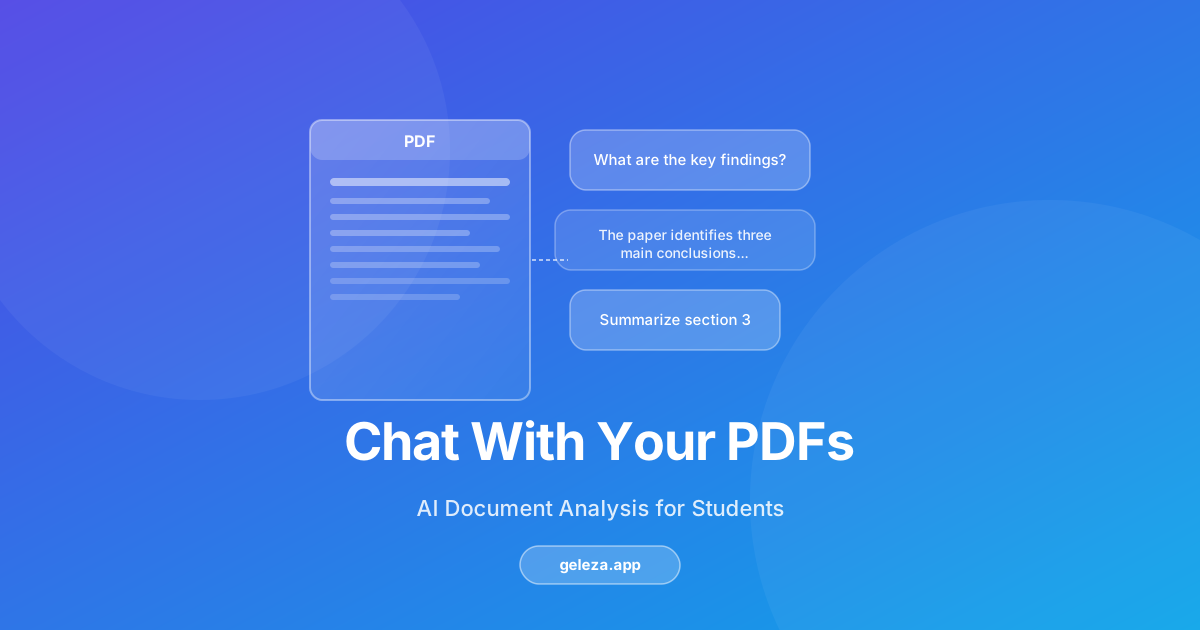
- "What is the author's main argument in section 3?"
- "Summarize the methodology of this study"
- "What evidence is given for claim X?"
- "Define [term] as used in this paper"
- "Compare the findings in chapter 4 and chapter 7"
What Can You Actually Do With PDF Chat?
Here's the practical picture. You upload a PDF, the tool indexes it, and from that point you interact with it like a Q&A interface. You can ask for definitions, request summaries of specific sections, or probe the document's logic by asking follow-up questions.
The most useful pattern isn't "summarize this whole thing." It's asking targeted questions that would otherwise require you to skim and re-read entire sections. That's where the real time saving happens.
A meta-analysis in Psychological Science in the Public Interest found that self-questioning during reading, asking what the text means as you go, produces significantly better long-term retention than passive reading alone (Dunlosky et al., 2013). AI PDF chat enforces that habit automatically. Every question you type is a retrieval practice event.
Practical use cases by student type:
- Science and engineering students: Quickly locate specific equations, definitions, or experimental methods in long papers without reading front to back.
- Humanities and social science students: Ask for the author's thesis, find quoted evidence, and trace argument structure across chapters.
- Students reading in a second language: Ask for plain-language explanations of complex passages to build comprehension before re-reading the original.
- Exam preppers: Generate targeted summaries of specific topics across multiple documents at once.
How to Get the Most Out of PDF Chat Tools
The students who get the most value from these tools aren't the ones who upload a PDF and ask "summarize this." They're the ones who treat the tool like a research assistant: ask specific questions, challenge the answers, and follow up when something doesn't make sense.
Asking questions while reading produces better outcomes than passive reading. Cognitive science research on the "generation effect" shows that producing an answer, even an incorrect one, leads to stronger memory encoding than simply reading the correct answer (Jacoby, 1978). This same principle is why AI quiz generators are so effective for exam prep. When you type a question into a PDF chat tool, you're generating a prediction before you receive the answer. That's learning-effective behavior, and it's essentially free to do.
A practical workflow for a research paper:
- Before uploading: Skim the abstract and conclusion. Form 3 to 5 questions you want the paper to answer for you.
- Upload and ask those questions first. Let the tool surface the relevant passages. Read those passages in full.
- Ask follow-up questions on anything unclear. "What does the author mean by X?" works well.
- Ask cross-section questions: "Is the conclusion consistent with the data in Table 2?"
- Take your own notes. Paraphrase the answers in your own words. The tool won't remember your session, but your notes will.
Does AI PDF Chat Hurt Deep Reading Skills?
This is a fair concern worth addressing directly. Cognitive load research suggests that offloading mental work to tools can reduce the effort that leads to deep learning. If you never struggle with a text, do you actually learn it?
From what we've seen in practice, the answer depends entirely on how you use the tool. Students who use PDF chat to skip reading entirely, treating summaries as complete understanding, are likely shortchanging themselves. Students who use it to navigate a text more efficiently before or alongside reading are doing something closer to what skilled readers do naturally: scanning for structure, identifying key claims, then reading deeply where it matters.
Research supports the navigational use case. A 2022 study in Learning and Instruction found that giving students structural overviews of complex texts before reading improved comprehension without reducing engagement with the text itself (van der Meij and de Jong, 2022). AI PDF chat can serve that same orientation role. It's a map before the journey, not a shortcut around it.
What to Look for When Comparing PDF Chat Tools
The market for document AI tools expanded considerably after 2023. Several solid options exist, and they differ on dimensions that matter for students.
Key features to evaluate:
Advertisement
| Feature | Why It Matters |
|---|---|
| Source citation with page numbers | Lets you verify answers in the original document |
| Multi-document support | Needed for literature reviews and comparative study |
| Conversation memory within session | Allows follow-up questions without re-specifying context |
| Upload size limits | Research papers rarely exceed 50MB, but textbooks can |
| Data privacy and retention policy | Critical if uploading proprietary or sensitive material |
Different tools have different strengths. Test a few on the same document before settling on one for your workflow. Geleza is one student-focused option worth trying, with semantic search and session memory built for academic documents.
Frequently Asked Questions
Is AI PDF chat accurate enough for academic work?
Accuracy depends on the tool and the document quality. RAG-based systems that cite page-specific passages are generally reliable for factual retrieval. A 2020 evaluation of retrieval-augmented models found they achieved over 85% accuracy on document-grounded question answering benchmarks (Lewis et al., 2020). Always verify important claims against the original passage before citing them in your own work.
Can these tools read scanned PDFs?
Most modern tools include optical character recognition (OCR) to handle scanned documents, but quality varies based on scan resolution and language. Typed, born-digital PDFs consistently produce better results than scanned images. If accuracy seems low on a scanned document, try a higher-resolution scan or a PDF that was exported directly from a word processor.
Does using PDF chat violate academic integrity policies?
Using an AI tool to understand your course materials isn't inherently a violation of academic integrity. Most institutional policies differentiate between using AI to comprehend material (generally permitted) and using AI to produce submitted assessments (often restricted). Check your institution's specific policy, particularly for take-home exams and written assignments.
Does PDF chat work for non-English documents?
Many tools support multilingual documents, though performance varies by language. English-language academic content consistently gets the best results because most large language models were trained on English-dominant corpora. For non-English documents, test accuracy on a section you can manually verify before relying on the tool for study.
How many pages can these tools handle?
Limits range widely: anywhere from 50 to 1,000 pages per upload depending on the platform. For very long textbooks, uploading individual chapters as separate documents tends to work better than uploading the entire book. Focused uploads also keep your questions more targeted and the answers more precise.
Is my uploaded document kept private?
Data handling varies by provider. Before uploading course materials, especially anything marked confidential, read the tool's privacy policy to understand whether your documents are stored, used for model training, or deleted after your session. Reputable providers publish clear data deletion policies and process documents in encrypted pipelines.
Can AI PDF chat replace a human tutor?
Not really, and that's not the right frame. A tutor can ask you questions, identify gaps in your reasoning, and adapt explanations based on how you respond. AI PDF chat is excellent at fast, document-grounded information retrieval. Think of them as different tools: one for navigating what's in a document, the other for building and testing your understanding of it.
Conclusion
AI PDF chat tools don't make studying effortless. They make navigation faster, and navigation is often what consumes the most study time. Getting to the right section of a 300-page textbook, or finding where a research paper actually addresses your specific question, used to require extensive skimming. Now it takes a typed sentence.
Students who benefit most treat these tools as research assistants: precise questions in, grounded answers out, followed by their own close reading of the passages that matter. That combination of efficient navigation and genuine reading is the most effective approach we've observed.
If you want to try a student-focused option, geleza.app includes a PDF chat tool built for academic documents, with semantic search and session memory included.
Advertisement
Found this helpful?
Share it with your classmates.
Share: