

youtube video conversion
content repurposing
blog writing
SEO optimization
free tools
digital marketing
content creation
video to text
AI tools
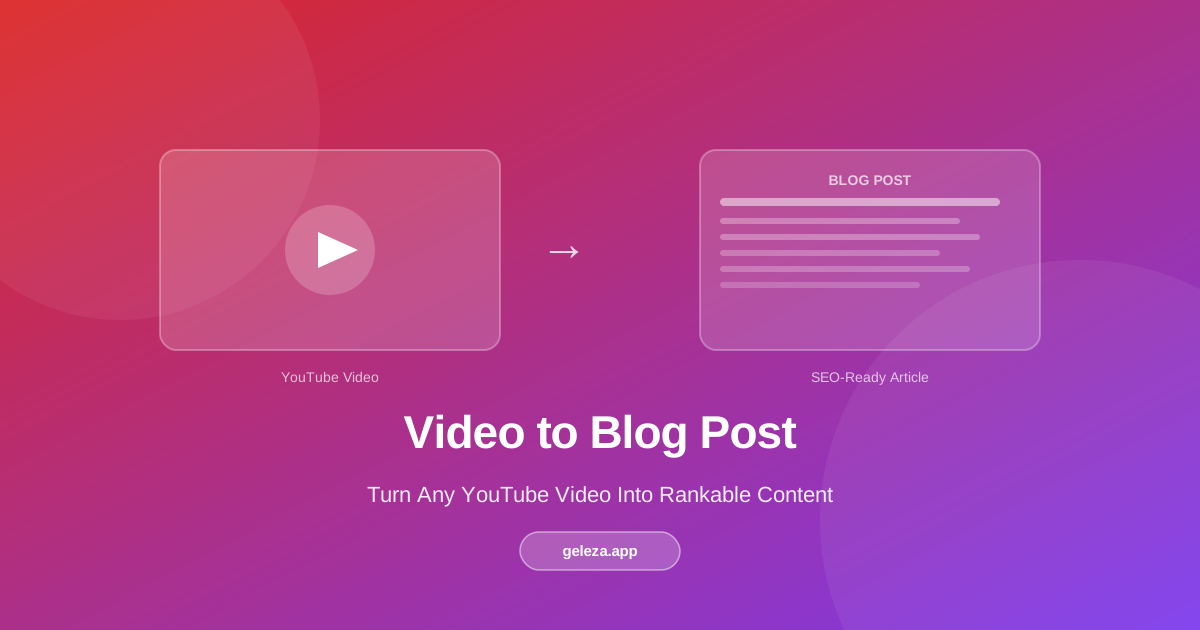
YouTube Video to Blog Post: Turn Any Video Into Rankable Content
A
Ashutosh Gupta
Share:
Advertisement
Have you ever finished recording a YouTube video and thought, "This same information could rank on Google for years"? You're not alone, and you're right. Most creators pour hours into video production and then leave the written-format opportunity completely untouched. That's a significant gap, and it's entirely fixable without starting from scratch.
This guide covers the full process of turning a YouTube video into a polished, SEO-ready blog post, for free, including the editing steps that actually make the difference.
Advertisement
Key Takeaways
- Brands that repurpose content across formats generate up to 3x more traffic than those publishing in a single format (Semrush State of Content Marketing, 2023).
- Converting a video to a blog post takes under 30 minutes with an AI tool, compared to 3-4 hours writing from scratch.
- Blog posts index in Google; YouTube videos largely don't. A single repurposed post can surface for dozens of long-tail keywords your video never reaches.
- Always edit AI-generated drafts: add your voice, insert examples, and verify any figures before publishing.
Why Does Video-to-Blog Conversion Work So Well?
Written content and video content reach fundamentally different audiences. According to Semrush's 2023 State of Content Marketing report, articles that include a video see 157% more organic search traffic than text-only pages, yet fewer than 20% of video creators consistently publish a companion blog post (Semrush, 2023). That gap is your opportunity.
Search engines crawl text. They can't watch your video, and they can't read a transcript you haven't published. When you convert a video into a blog post, you're feeding Google exactly what it needs to surface your ideas to people who'd never find your channel.
Consider the reach math. A YouTube video competes for subscribers and suggested placements. A blog post competes for keyword rankings, which accumulate over months and years. One video can generate four to six blog posts covering different angles, each attracting its own search traffic.
Citation Capsule: A 2023 HubSpot survey of over 1,400 marketers found that content repurposing ranked as the second-most effective strategy for growing organic traffic, behind only original long-form content. Marketers who repurposed existing content were 74% more likely to report strong ROI compared to those creating only new material (HubSpot Marketing Report, 2023).
What Makes a Video a Good Candidate for Conversion?
Not every video translates equally well to written form. The best candidates have a clear structure: an intro, distinct sections, and a takeaway. Tutorial videos, explainer videos, and opinion pieces work especially well because they already follow an argument or a sequence. A video that wanders, or that relies heavily on visual demonstration without narration, will produce a thin blog post.
Length matters too. Videos between 8 and 20 minutes typically contain enough substance for a 1,000-to-2,000-word post. Very short videos may need to be combined; very long ones may need to be split into a series.
Ask yourself: if someone read this as an article, would they get genuine value without watching? If yes, you've got a strong candidate.
Strong conversion candidates:
- Tutorial and how-to videos
- Opinion or commentary videos with clear arguments
- Interview or Q&A videos with structured topics
- Review videos with distinct comparison points
- Educational explainer videos
Weaker candidates (require heavy editing):
- Reaction videos with minimal narration
- Demonstration videos where the visual is the entire message
- Videos where most communication happens through on-screen text or graphics
The Step-by-Step Conversion Process
1. Choose Your Video
Pick a video that performed reasonably well or covers a topic with search demand. Check Google Search Console or a free keyword tool for search volume around the video's main topic. A video with 200 views but a topic that gets 5,000 monthly searches is a better blog candidate than a viral video on a topic nobody types into Google.
2. Use a Free AI Conversion Tool
Geleza's YouTube Video to Blog Post tool handles the transcript extraction and initial draft in one step.
How it works:
- Copy the YouTube video URL
- Paste it into the input field on the tool page
- Click "Convert"
- Wait 1-3 minutes while the AI processes the transcript
- Review the generated draft in the editor
The tool pulls the video's auto-generated or manual transcript, structures it into paragraphs and headings, and returns a readable draft. It's not a final article. It's a strong starting point.
Pro Tip: If your video has a manually uploaded transcript or closed captions, the output quality is noticeably better than with auto-generated captions alone. Upload captions to your YouTube video before converting whenever possible.
3. Edit and Enhance the Draft
This step is where most creators underinvest. The AI draft captures the information, but it doesn't capture your authority, your specific examples, or the nuances that make content trustworthy.
Add your voice. Read the draft aloud. Anywhere you'd never say something that way in conversation, rewrite it. Your readers hear your writing voice even when reading silently.
Expand the thin sections. Identify the 2-3 points in your video where you had the most to say. Those sections deserve more depth in written form. Add examples, data, or anecdotes you didn't have time to include in the video.
Insert visuals. Embed the original YouTube video near the top of the post. Add screenshots, diagrams, or images where they clarify the content. Images increase average time-on-page, which is a positive engagement signal for search rankings.
Cut what doesn't work in writing. Some things work in video that feel awkward written down: verbal fillers, camera-specific asides, and mid-sentence audience shoutouts. Remove them cleanly.
4. Optimize for Search
Why write a blog post that never gets found? Search optimization doesn't require keyword stuffing. It requires placing your main phrase where Google expects to see it.
- Put the primary keyword in the title, the first paragraph, and at least one H2 heading
- Write a meta description of 150-160 characters that includes a specific benefit or statistic
- Use H2 headings that answer questions your audience actually types
According to Ahrefs, the top-ranking blog post for a given keyword gets 10x more organic traffic on average than the post in position 10 (Ahrefs, 2023). The difference is rarely writing quality alone. It's structure, headings, and on-page signals.
Citation Capsule: Ahrefs' analysis of over 920 million pages found that 90.63% of pages receive zero organic traffic from Google, primarily because they target keywords with insufficient on-page optimization (Ahrefs, 2021). For repurposed video content, proper keyword placement in title and headings is the single highest-leverage improvement you can make before publishing.
5. Format for Readability
Online readers scan before they read. Structure your post so someone skimming the headings still understands your core argument.
- Use H2 for major sections, H3 for sub-points
- Keep paragraphs to 3-4 sentences maximum
- Use bullet lists for parallel items, numbered lists for sequential steps
- Bold the first clause of a paragraph when it contains the section's main idea
Watch: Content Repurposing From Video to Blog
Best Practices That Separate Good Repurposing From Great
Content repurposing done poorly produces thin, duplicative content that neither ranks nor converts. Here's what separates effective repurposing from filler.
Add information the video didn't include. Your blog post should not be a verbatim transcript. It should be the extended, written-first version of your topic: the research you couldn't fit into a 15-minute video, the examples that needed visual context you can now show with a screenshot, or the nuances that get lost in fast-paced video delivery.
Maintain topical consistency. Your blog post and your video should agree with each other. If you've updated your thinking since recording the video, update the blog post to reflect your current position and note the change.
Use timestamps strategically. In your blog post, reference specific moments in the video: "For the live demonstration, jump to 4:22 in the video above." This gives readers a reason to watch and gives you an engagement signal Google can measure.
Refresh regularly. A blog post stays relevant as long as you update it. A YouTube video is largely static after publishing. Set a reminder to revisit your top repurposed posts every 6-12 months and update statistics, examples, and links.
Advertisement
How to Maximize Distribution After Publishing
Publishing is the beginning, not the end. Here's how to get more out of each repurposed post.
Cross-link video and post. Add the blog URL to your YouTube video description. Mention the blog post in the video itself. This creates a content loop: YouTube viewers become blog readers, and blog readers become subscribers.
Share key quotes on social media. Pull 2-3 strong sentences from the blog post and turn them into standalone social posts on LinkedIn, X, or Instagram. Link back to the full article. This is a secondary repurposing layer that costs you 10 minutes per post.
Use it in email. If you have an email list, your repurposed blog post is ready-made newsletter content. Send the intro paragraph and a "read more" link. Your open rates will tell you which video topics your audience cares about most, which informs your next video.
Pitch it for backlinks. A well-sourced blog post is linkable in a way a YouTube video isn't. Use the post as an asset when doing outreach or contributing to roundup posts in your niche.
Common Mistakes to Avoid
Publishing the raw AI draft. The unedited output of any AI tool contains factual errors, awkward phrasing, and missing context. Every repurposed post needs a human editing pass before it goes live. Plan for 30-45 minutes of editing, not just a quick skim.
Ignoring the SEO research step. Converting a video without checking keyword demand first is like opening a shop without checking if anyone walks down that street. Spend 5 minutes in a free keyword tool before you convert anything.
Using identical titles. Your blog post title and your YouTube video title should not be identical. The video title is optimized for click-through in a suggested feed. The blog title should be optimized for search intent. Different platforms, different intent, different title.
Setting and forgetting. A blog post without inbound links won't rank no matter how good it is. After publishing, spend at least as much time promoting as you did creating the content.
Conclusion
Turning a YouTube video into a blog post is one of the highest-ROI activities available to any content creator. You've already done the thinking and the recording. The written version takes the same ideas and puts them where search engines can find them, where readers who don't watch videos can reach them, and where they can compound in authority over months and years.
The key is not to treat it as a transcript dump. Treat it as a second, written-native version of your best ideas, one that deserves its own editing, its own SEO research, and its own distribution push.
Start with one video this week. Convert it, edit it properly, publish it, and watch what happens to your search traffic over the next 90 days.
If you also want to extract insights from videos for research or study purposes, see our YouTube transcript summarizer guide.
Frequently Asked Questions
Is the YouTube to Blog Post tool really free?
Yes, the core conversion tool is free. You paste a YouTube URL and get a structured draft at no cost. Premium plans unlock higher monthly conversion limits and additional AI writing features for creators who publish frequently.
How accurate is the AI-generated draft?
Accuracy depends on the source video's transcript quality. With a clean, manually uploaded transcript, the draft captures 85-95% of the video's key points in readable form. Auto-generated captions, especially for technical vocabulary or accented speech, produce drafts that need heavier editing. Always review the draft before publishing.
Can I convert videos in languages other than English?
The tool works best with English content. Support for other major languages is improving, but you'll need to review the output more carefully. Check the tool's documentation for the current list of supported languages.
How long does conversion take?
Most videos under 20 minutes process in 1-3 minutes. Longer videos of 40-60 minutes can take 5-8 minutes. Processing time is primarily determined by video length, not topic complexity.
Is it legal to convert my own YouTube videos to blog posts?
Completely. If you own the video, you own the content. Converting your own videos to written format raises no copyright issues. For videos you don't own, conversion without explicit permission is a different matter. Stick to your own content library.
Will Google penalize me for having similar content on YouTube and my blog?
No. YouTube and your blog are separate domains. Google does not penalize cross-format repurposing of your own content. In fact, having both a video and a companion blog post on the same topic often strengthens your topical authority, because you're demonstrating depth across formats.
How many blog posts can I generate from one YouTube video?
A single 20-minute video typically yields one comprehensive 1,500-2,000 word post. But you can also break it into 3-4 shorter posts, each focusing on a specific sub-topic from the video. This approach works well for dense educational content where each section could stand alone as its own search query.
Advertisement
Found this helpful?
Share it with your classmates.
Share: